Safe file sharing is a critical part of cybersecurity, particularly as businesses rely on cloud storage, collaboration platforms, and remote work arrangements.

Safe File Sharing Practices for Businesses
read more

Check our Latest
Safe file sharing is a critical part of cybersecurity, particularly as businesses rely on cloud storage, collaboration platforms, and remote work arrangements.
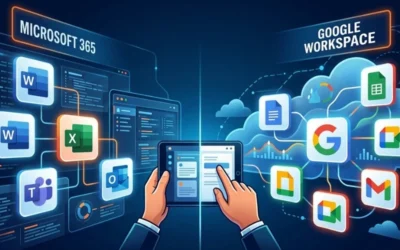
Microsoft 365 and Google Workspace are cloud productivity tools, both offering email, document management, storage, and collaboration tools. Which is better?

Learn what an email compromise is, common attack types, recent cybersecurity trends, and proven strategies to prevent and respond to threats.

A data security incident report details an event in which sensitive data may have been exposed, modified, or destroyed. A critical component of cybersecurity.
Password managers are designed to securely store, generate, and manage credentials. They address a vulnerability in cybersecurity: weak and reused passwords.

Cybersecurity training extends beyond awareness. Complete cybersecurity includes employees trained to recognize and respond to threats in real-world scenarios.
Protect your business from data breaches with insights on causes, trends, prevention strategies, tools, and cybersecurity solutions from AlphaKOR.
A complete guide to protection, recovery, and cybersecurity resilience with data backup solutions for businesses. Everything you need to know.
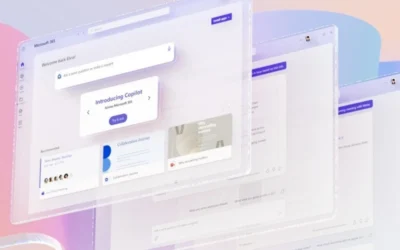
Secure your business’ Microsoft 365 environment from cyber-threats. Learn about risks, common attacks, and best practices to secure your business, here.

Explore the impact of ransomware on businesses, key trends, and effective strategies for prevention, and protection in today’s cybersecurity landscape.

Explore phishing risks, trends, and protection strategies to safeguard businesses from evolving cyber threats and financial loss.

Discover how Windsor tech companies are driving business growth and innovation, shaping a dynamic future for the region’s thriving business landscape.

Understanding tech companies in London is essential for business leaders who want to remain competitive in today’s landscape…

You are likely aware that IT outsourcing is no longer a secondary consideration—it has become a primary lever for organizations intent on achieving re…

Organizations are under increasing pressure to manage risk, control costs, and maintain agility, prompting careful consideration of how they source IT…

You understand that Windsor industries are at a pivotal crossroads—where local expertise meets global opportunity. For business leaders and decision-m…

Choosing between staff augmentation and managed services is a decision that will ripple through every layer of your organization, impacting flexibilit…

You make decisions every day that shape the future of your company, but cybersecurity can no longer be treated as just another IT line item. The reali…

Selecting a managed services provider is a pivotal business decision, one where urgency and precision matter more than ever. Small and medium-sized businesses can achieve up to 45% cost savings by opting for managed services instead of maintaining a traditional...

Windsor industries are no longer running on muscle alone - now, uptime is currency. From classrooms running cloud-backed curricula to hospitals relying on predictive system monitoring, managed IT has become a foundational asset, not a peripheral support. The city's...
Some businesses still use break-fix services to manage IT issues; this is where IT help is only called in when something breaks. This model might look cheaper at first, but it often leads to greater problems and higher costs. A report from ITIC shows that downtime is...

Businesses today can’t run smoothly without strong IT support. For Mississauga industries, the stakes are even higher. A Statista report found that the average cost of a single data incident in Canada reached $4.66 million in 2024. This puts pressure on businesses to...

60% of businesses saw a surge in productivity after adopting digital technologies. Half of these businesses also reported lower operating costs through the use of automation and predictive maintenance. Frank Abbruzzese, President, AlphaKOR,...

Many organizations invest in managed services to reduce their internal IT workload, prevent disruptions, and improve continuity. Yet, these goals often go unmet, not due to outdated technology or complex setups, but because of misalignment. Frank Abbruzzese, President...

Staying ahead in today’s fast-paced digital world is a serious challenge, especially for businesses without in-house tech expertise. By 2024, nearly 73% of organizations have turned to managed IT services in some capacity. That number underscores a critical reality:...
This Week In Tech, we talk about Apple’s AI news alerts highlight growing misinformation issue, LG’s StanbyMe 2, and the review of Lenovo’s ThinkBook Plus Gen 6.
This Week In Tech, we talk about the Better Business Bureau’s 12 scams of Christmas, UPS smishing scam alert, and Windows malware attack targeting YouTube channels.
This Week In Tech, we talk about a new security vulnerability called ‘SnailLoad’, if cybersecurity agencies are ready for generative AI, and how Meta has become the most impersonated amongst phishing scammers.
This Week In Tech, we talk about ransomware groups targeting backups, crucial update to iOS 17.4.1, and the Humane AI pin.
Is your cybersecurity posture good enough to withstand a potential attack? In this post, we’re discussing common cyber threats that businesses are prone to.
The AlphaKORians’ will be celebrating 27 years on February 25th, 2022! In this post, Frank Abbruzzese discusses our journey so far, looking forward, and more.
This Week In Tech, we talk about the Cyberattack On 5 Southwestern Ontario Hospitals, Bidirectional EV Charging and AI Coming For Your Phone.
In this month’s employee feature, Ryan shares what a typical day looks like for a Technical Specialist, advice for those interested in this career, and more.
How does your organization secure revenue for the goods and services you provide?
Learn how to spot the 7 red flags of phishing, cybersecurity tips for older adults and children, and how to equip colleagues with knowledge of phishing.